

You need to be your company’s Entra ID (Azure AD) admin and an Artie admin to complete this setup.
- Access to the Azure portal with permission to create app registrations
- Admin access to your Artie account (Settings → Authentication)
Set up Entra ID
1
Create an app registration
- Sign in to the Azure portal
- Go to Microsoft Entra ID → App registrations
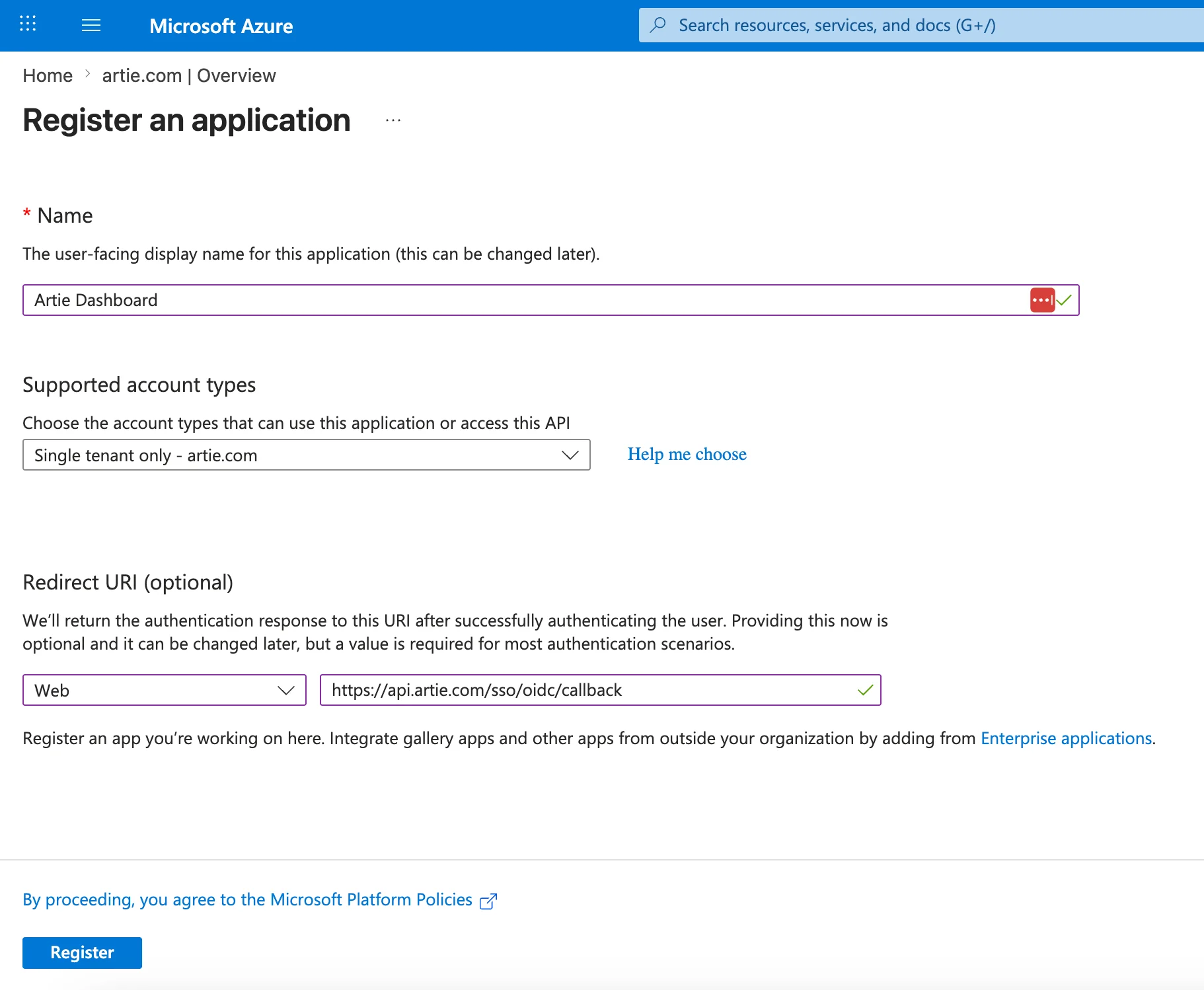
- Click New registration
- Fill in the form:
- Name: Artie
- Supported account types: Accounts in this organizational directory only (single tenant)
- Redirect URI: select Web and enter
https://api.artie.com/sso/oidc/callback
- Click Register
2
Create a client secret
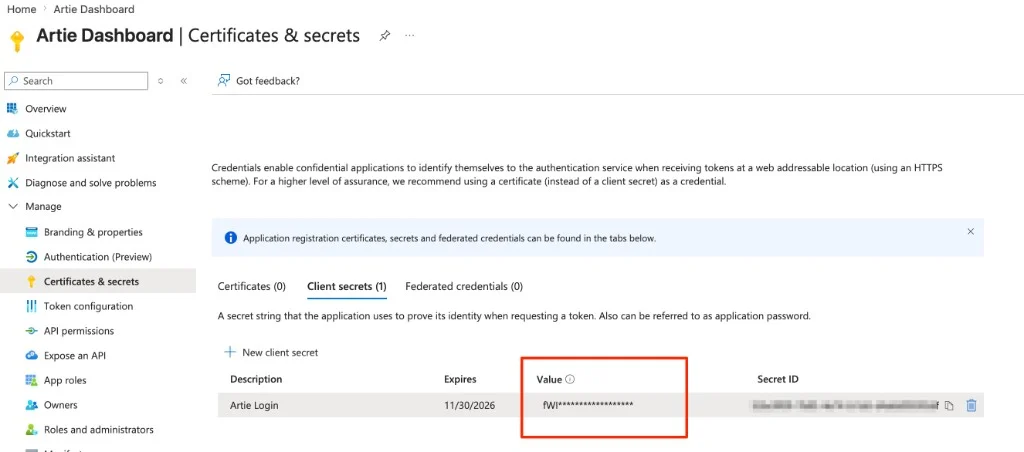
- In your new app registration, go to Certificates & secrets
- Click New client secret
- Give it a description (e.g.
Artie SSO) and choose an expiry - Click Add
- Copy the secret value immediately. It will not be shown again.
3
Retrieve your credentials
From the app registration Overview page, copy:Replace 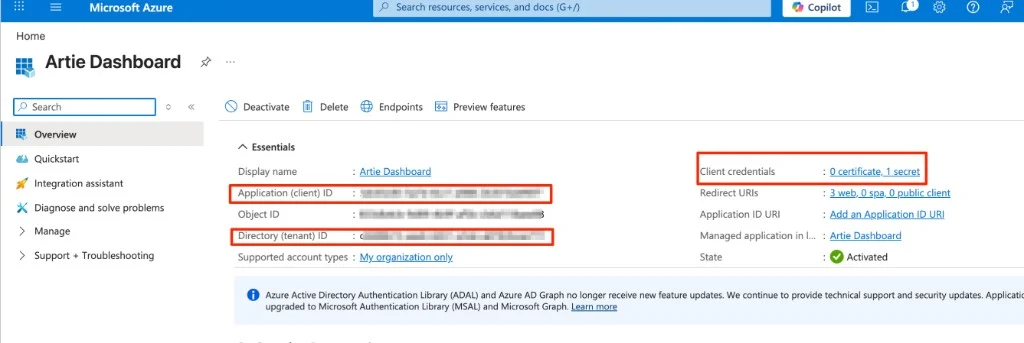
- Application (client) ID (this is your Client ID)
- Directory (tenant) ID (you’ll use this to construct the Issuer URL below)
{your-tenant-id} with the Directory (tenant) ID you just copied.Configure SSO in Artie
- Go to Settings → Authentication in Artie
- Click Configure SSO
- Enter your credentials:
- OIDC domain (Issuer URL):
https://login.microsoftonline.com/{your-tenant-id}/v2.0 - Client ID: the Application (client) ID from your app registration
- Client secret: the secret value you copied
- OIDC domain (Issuer URL):
- Click Save
📸 Add screenshot: Artie Settings → Authentication with OIDC fields filled in
Advanced
What redirect URI do I use?
What redirect URI do I use?
Always use
https://api.artie.com/sso/oidc/callback for Entra ID. This is different from the Okta redirect URI (/sso/okta/callback), so make sure you copy the correct one.Single-tenant vs multi-tenant
Single-tenant vs multi-tenant
We recommend registering as single-tenant (accounts in this organizational directory only). This ensures only users within your Entra ID tenant can authenticate into your Artie account.
What is the Issuer URL?
What is the Issuer URL?
The Issuer URL is the base URL for the OIDC discovery document for your tenant. For Entra ID it is always
https://login.microsoftonline.com/{tenant-id}/v2.0. You can verify it by appending /.well-known/openid-configuration. The URL should return a JSON document.Client secret expiry
Client secret expiry
Entra ID client secrets expire. When your secret expires, SSO will stop working until you create a new secret and update it in Artie’s authentication settings. We recommend setting a calendar reminder before the expiry date.