
Column Control: Include, Exclude, Hash
Column-level controls let you include, exclude, or hash individual columns to decide what gets replicated to the destination.
Not every column needs to make it to your warehouse.
Some fields are sensitive. Some are noisy. Some just don’t belong anywhere near analytics.
Now, you can decide exactly what gets replicated - and what doesn’t - with Artie’s expanded column-level controls.
Here’s what’s now possible, per column:
✅ Inclusion - define an allowlist. Only replicate what you explicitly approve; otherwise, ignore
🚫 Exclusion - let most of the table through, but block the columns you don’t want downstream
🔐 Hashing - keep the structure, mask the value. Track fields like user IDs, without exposing data
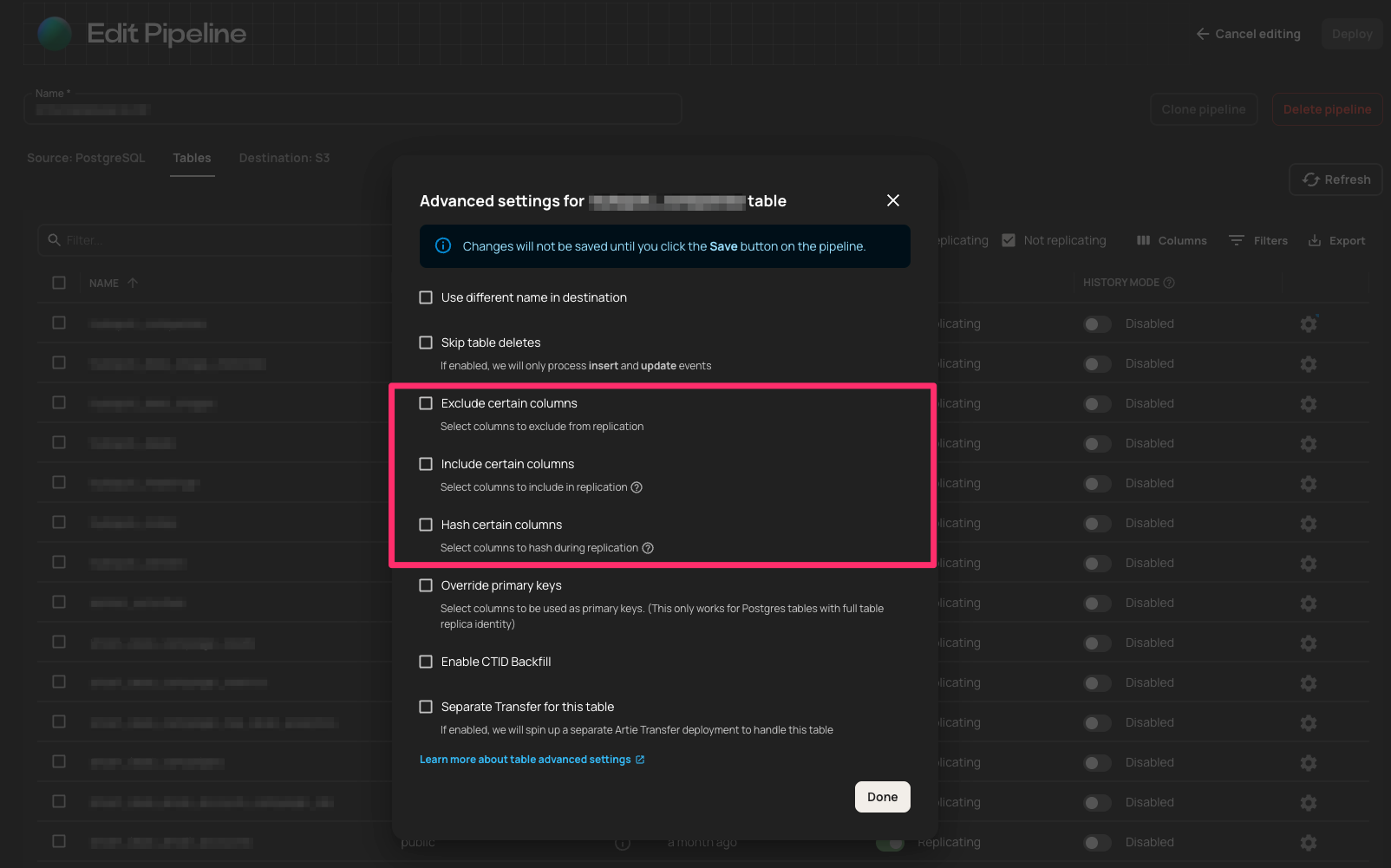
Why this matters:
This isn’t just a cleanup job. It’s control over what leaves prod.
Inclusion
Sometimes, it’s not about removing sensitive fields - it’s about only sending the ones you trust. Inclusion rules flip the default: instead of replicating everything and hoping exclusions or hashes catch the risky stuff, you define exactly what gets through - and block the rest.
What this means:
- Safer by default - no surprises when new columns show up
- Compliance-friendly - ideal for PII and financial data
- Cleaner data - only the fields analytics and ML teams actually need
Exclusion
Most of the table is fine. But those one or two fields? No thanks.
Exclusion rules let you drop what doesn’t belong - without touching your schema.
Use it when:
- You’re skipping internal metadata, debug fields, or legacy junk
- You want to trim without breaking things
- You’re migrating slowly and need a guardrail, not a wall
Hashing
Some fields need to be trackable - but not readable.
Hashing keeps them in your pipeline without exposing what’s inside.
Reach for hashing when:
- You want to track user behavior across systems without exposing identity
- You’re debugging and need to confirm values match across systems - without logging sensitive data
- You’re sharing a warehouse and want to prevent exposing raw PII to teams that don’t need it
- You only need to know whether or not a value has changed
Want to configure it?
Column-level rules are set at the source. This guide explains where they belong and why.