
Self-Serve DynamoDB Backfills
A guided flow in the DynamoDB pipeline setup lets you start a table export from your AWS account or select an existing export, with errors shown immediately.
Backfills are a critical step in onboarding new pipelines - especially when you're working with historical data in DynamoDB. Until now, Artie handled that part for you, kicking off a table export behind the scenes. That worked fine - unless something broke. If your AWS role didn't have the right permissions or something else went sideways, users were left guessing.
Now, that guesswork is gone.
When setting up a DynamoDB pipeline, you’ll now see a guided flow in the UI that helps you kick off a backfill. You can export the table directly from your AWS account - or select an existing export if you’ve already started one manually.
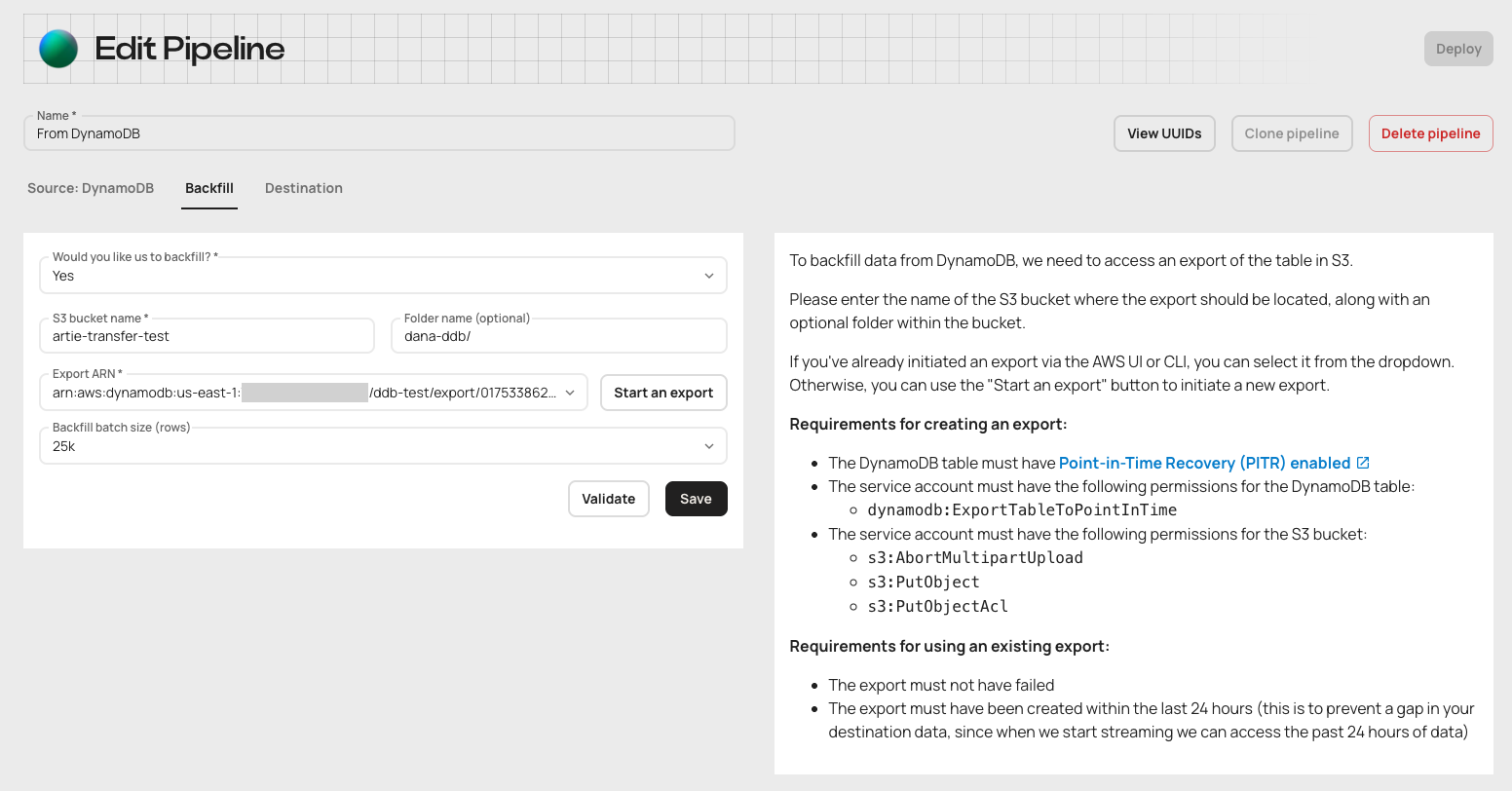
No more opaque failures. If something’s wrong (like missing permissions), you’ll see it immediately and can fix it yourself - without waiting or wondering.
Why this matters:
- DynamoDB backfills are now fully transparent and user-controlled
- Errors (like missing permissions) are surfaced immediately for faster fixes
- Reuse recent exports - no need to start from scratch
- Smoother, more reliable onboarding for new DynamoDB pipelines
Setting up a new DynamoDB pipeline? You'll see the new backfill flow automatically. Questions? Reach out - we're here to help.