
Environments
Pipelines can be created and managed in separate environments such as dev, staging, and production, each with its own scoped connectors and resources.
Running multiple pipelines across dev, staging, and production can get messy fast. Without clear isolation, a simple misconfiguration - like a staging job writing to production - can turn into a costly mistake. Until now, Artie pipelines existed in a shared global context. That worked fine for smaller teams, but for complex setups, it made managing multiple deployment stages harder than it needed to be.
You can now create and manage pipelines within distinct environments - like “staging,” “dev,” or “production.” Each environment has its own scoped resources, connectors, and destinations, ensuring full isolation between stages.
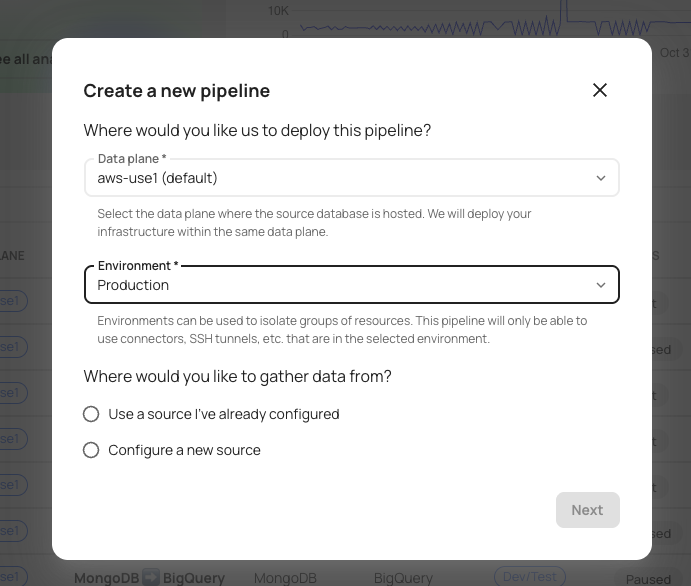
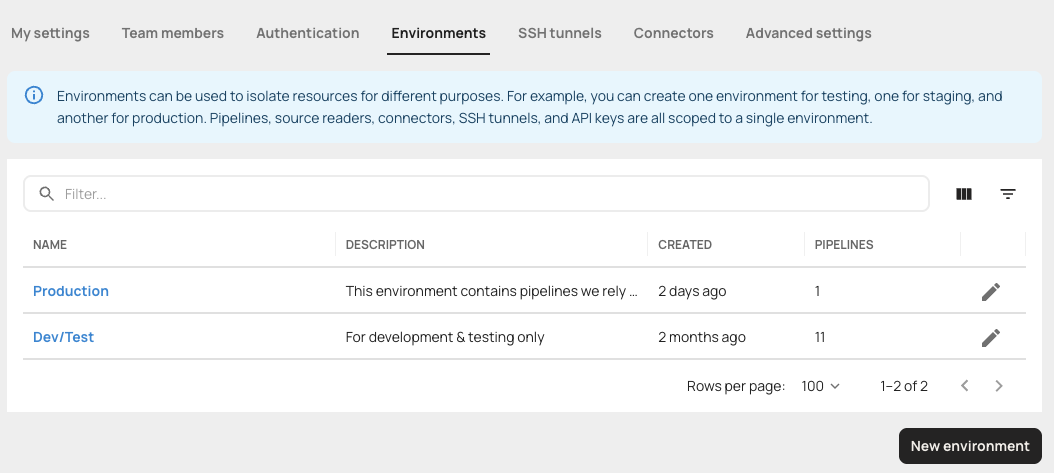
For example: when you spin up a pipeline in the staging environment, it can only connect to staging databases and destinations. That means no more worrying about test data accidentally ending up in production.
Why this matters:
- Prevents cross-environment mistakes that can corrupt production data
- Makes testing safer and deployments more predictable
- Improves governance and access control by isolating resources
- Enables clean promotion of pipelines from staging to production
- Builds confidence for teams managing large-scale, multi-stage data flows